


QR code in your holiday rental: WiFi and house info in the guest’s language
Guests from different countries need two things right after arriving: the WiFi and the house info. One code on the stand connects the phone to the WiFi. A second one shows the house info in the language set on the guest’s phone.
Bronze plan: free for 14 days, then €14.90/month incl. VAT. Payment method required. Renews automatically, cancel anytime.
On this page
Why a sheet of paper in the holiday rental is not enough
Nobody likes typing a long WiFi password, least of all after a long journey. Then there are house rules, the garbage schedule, check-out time and the tip for the restaurant around the corner. That is usually on a sheet of paper or in a folder, and it is rarely available in all the languages of your guests. When something changes, you print everything again.
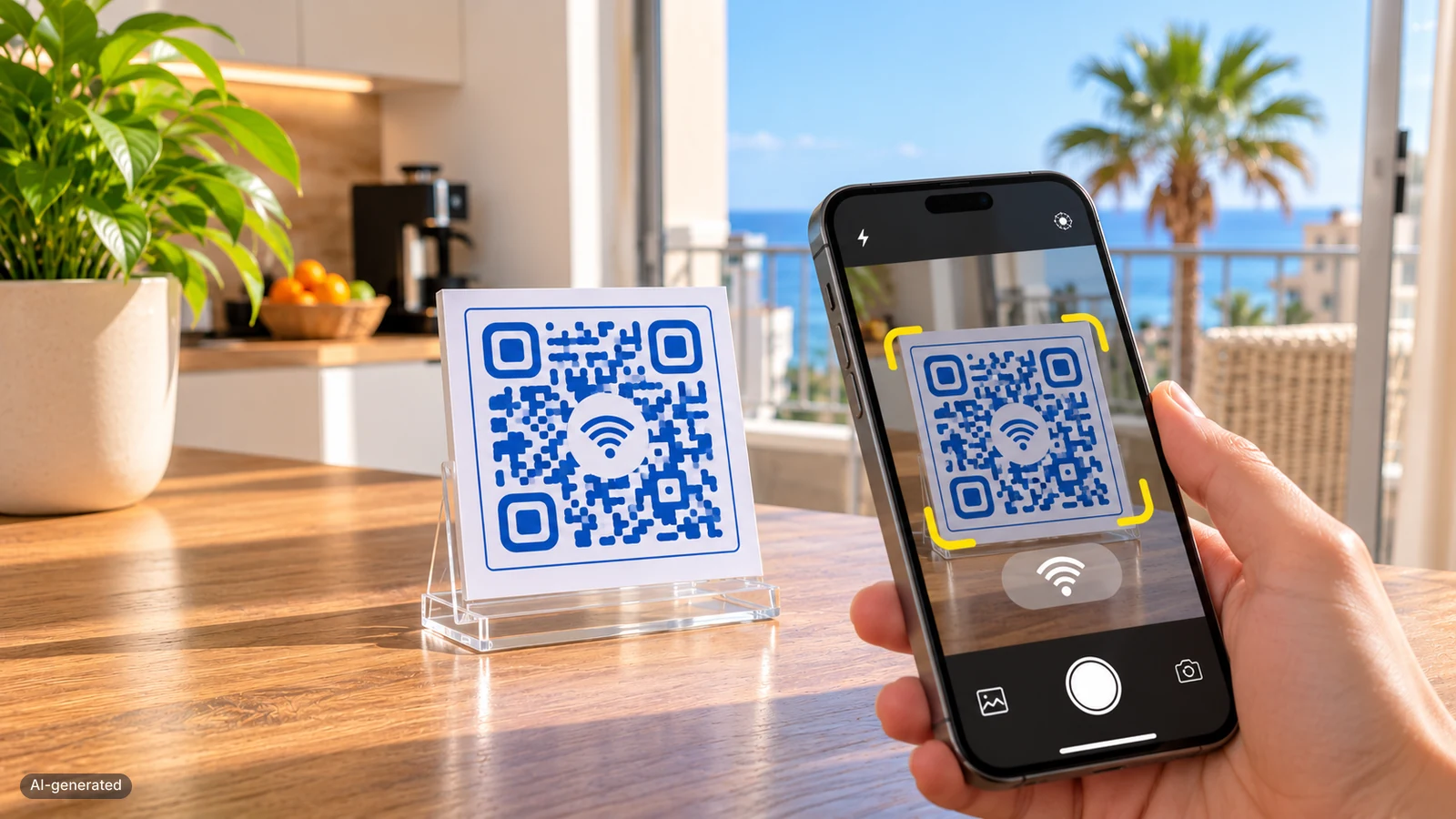
Two codes with two jobs
The WiFi code contains the network name, the password and the encryption type. The guest scans it with the phone camera and does not have to type the password. Depending on the phone, they confirm the connection once more.
The house info code is a dynamic QR code. It leads to a page with house rules, check-out and tips. With a Smart Rule of type Device language, every guest sees the page in the language set on their phone. Still, only one single code is printed on the paper.
| WiFi code | House info code | |
|---|---|---|
| Job | Connect the phone to the WiFi | Show the house info |
| Language | None, it is only about the connection | Matches the guest’s phone language |
| Change later | New WiFi password: new code needed | Yes, you change the target and rules in your account |
| Without internet | Works, the data is in the code | Needs internet, because it redirects to a page |
| From which plan? | From the Bronze plan. You can try it for 14 days. | Part of the subscription plans, 14-day trial |
Five steps to the stand
Prepare the house info in every language
Create a page for each language of your guests that can be reached through a web address, for example on your own website. Start with German, English and Spanish. Open each page once on a phone and check that it is easy to read.
Create a dynamic code
Create a dynamic QR code for the house info in QRlogic and open its Smart Rules.
Add one rule per language
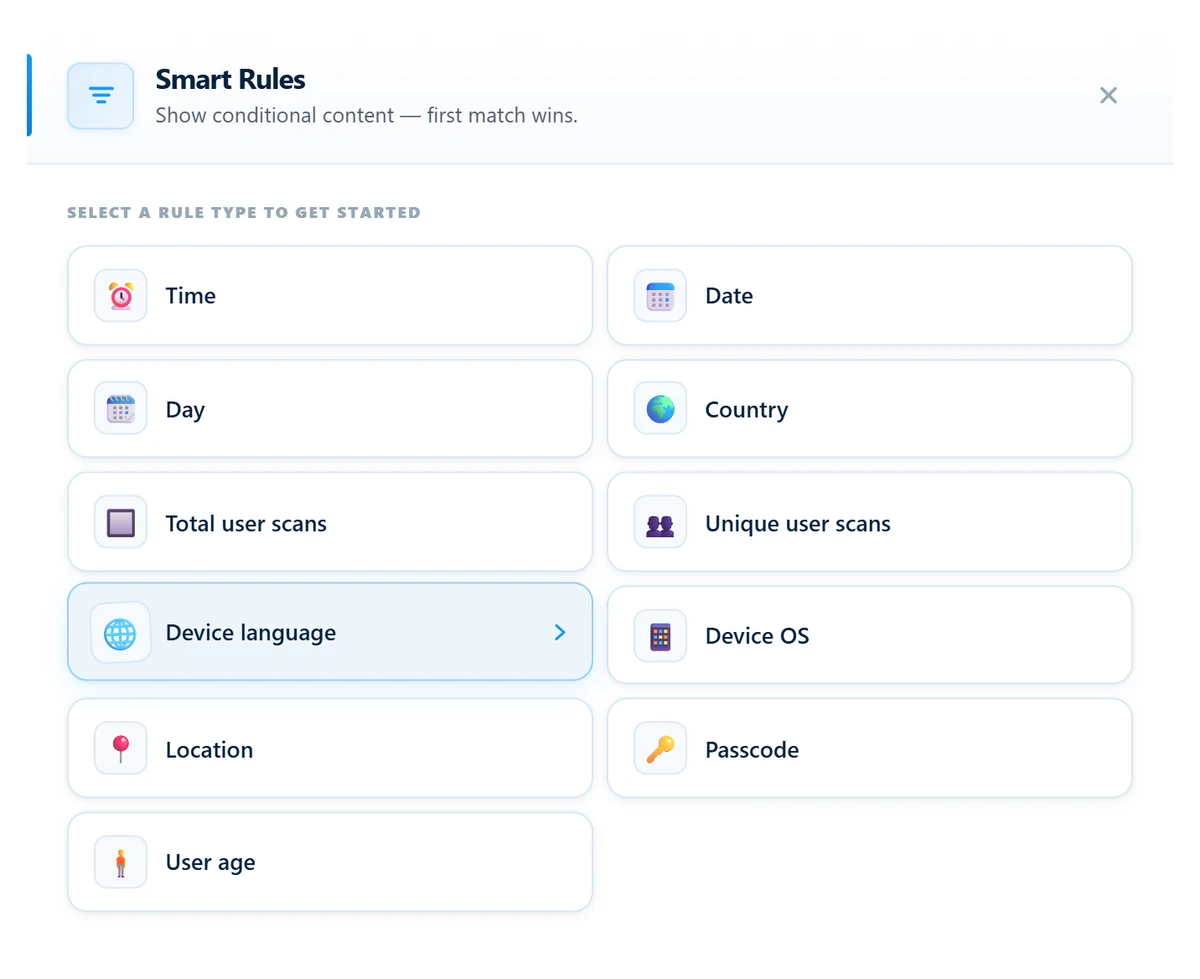
Choose the rule type Device language, leave is as it is, choose the language and enter the matching address under Redirect to. Repeat this for each language.
Create the WiFi code
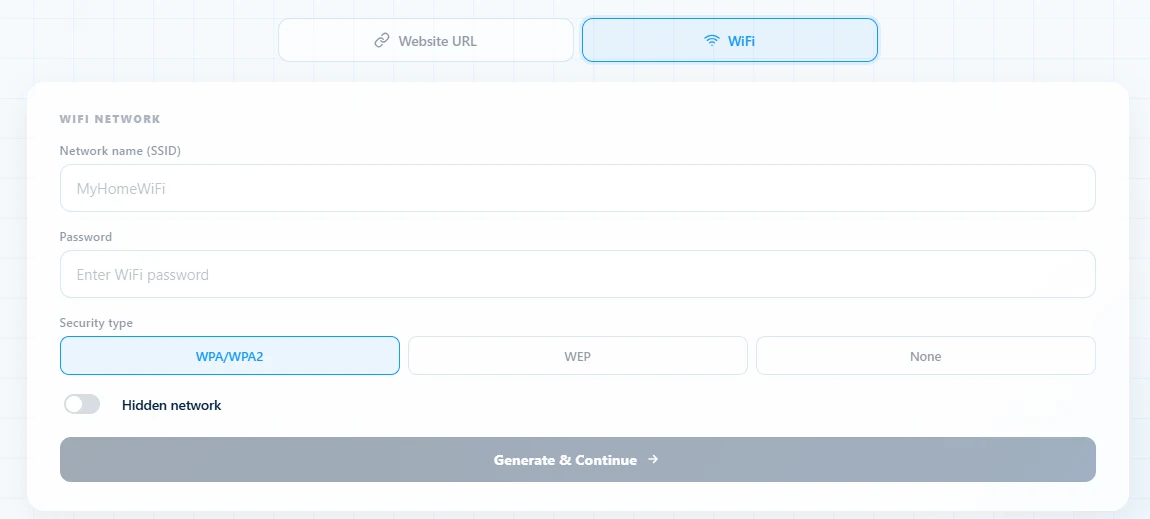
Choose the type WiFi, enter the network name and password, choose the security type (usually WPA/WPA2) and say whether the network is hidden.
Test and set up
Scan both codes with phones set to German, English, Spanish and one more language. Only then do you print the stand.
What it looks like in QRlogic
The images show the steps from the guide. Click an image to open it in full size.
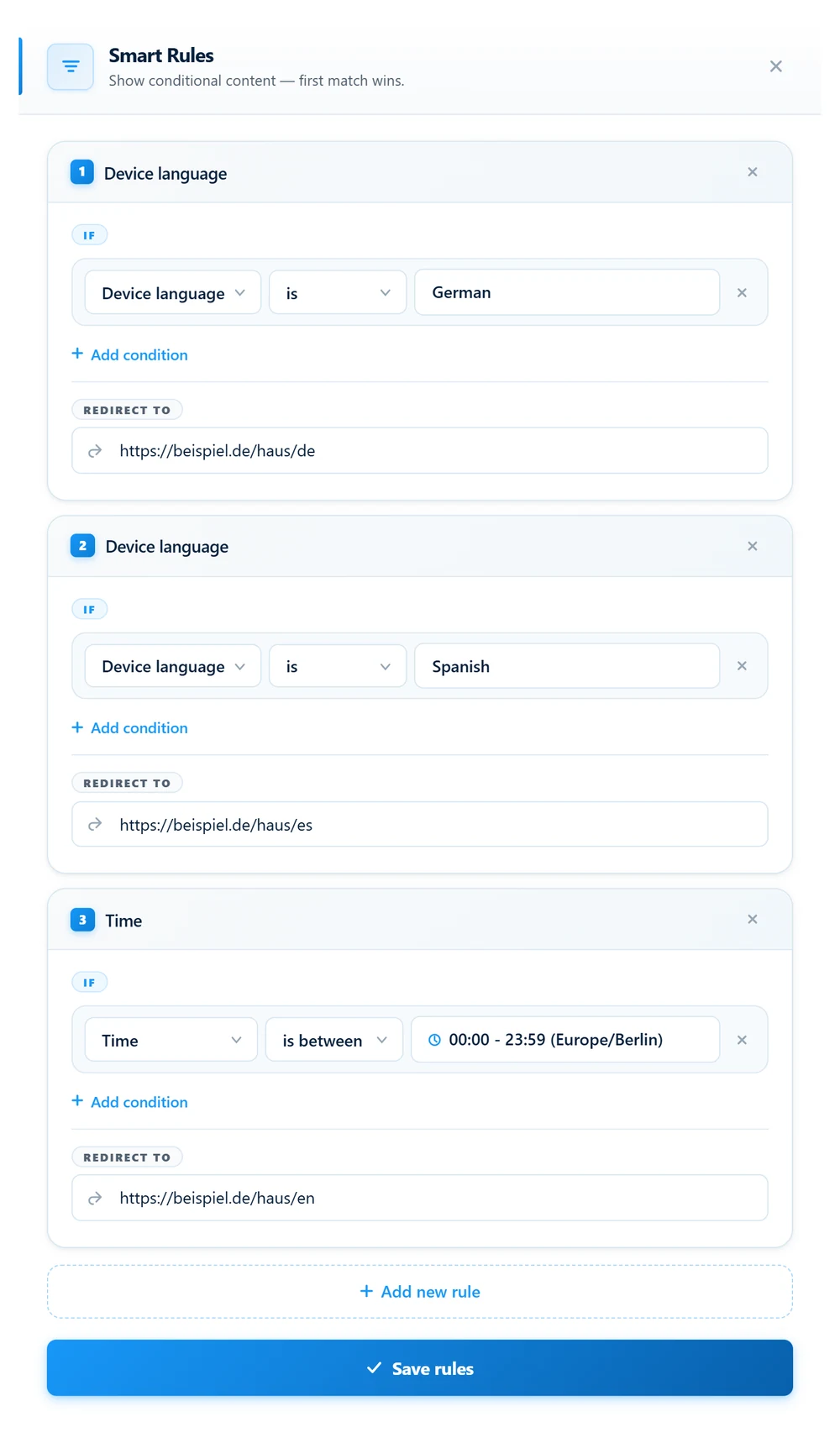
Example: holiday rental with guests from three countries
| Guest’s phone language | Guest sees |
|---|---|
| German | House info in German (example.com/house/de) |
| Español | House info in Spanish (example.com/house/es) |
| English and all other languages | House info in English (example.com/house/en), through the last rule |
The addresses are examples. You enter the addresses of your own pages. The last rule is the catch-all rule: it applies all day and sits at the very bottom, because the first matching rule wins.
What to check on the stand
- Place: Put the stand where guests look first, for example in the entrance area or on the kitchen table.
- Labels in several languages: Write under each code what happens when you scan it, for example “WLAN / WiFi” and “Hausinfos / House info / Información”.
- Keep the two codes apart: Place both codes next to each other with some space and label them clearly, so nobody scans the wrong one.
- Size and contrast: As a rule of thumb at least 2 × 2 cm, larger is fine on a table. A dark code on a light background scans most reliably.
- Material: Matte paper or a matte sleeve. Glossy surfaces reflect light and make scanning harder.
What else you can do with rules
- Time periods: A rule of type Date shows different info in certain weeks. Conditions can be combined in one rule. Because the first matching rule applies, special rules go to the top.
- Changing notices: New check-out time, different garbage schedule: you change the page behind the address or swap the target in your account. The stand stays as it is.
- Scan statistics: You see how often the house info code was scanned, when and on which device. The statistics use shortened IP addresses, and the servers are in Germany. More in the guide to the GDPR-compliant QR code generator.
Frequently asked questions
Does the guest have to install an app?
No. The camera of modern phones recognizes QR codes by itself.
Does the phone really connect to the WiFi without the guest typing the password?
Yes. The guest scans the WiFi code and the password is in the code. Depending on the phone, they confirm the connection once more.
Does the WiFi code keep working if I cancel my subscription?
Yes. The WiFi code does not redirect anything through QRlogic, all data is in the code itself. A printed WiFi code therefore keeps working as long as the WiFi password does not change. It even works without internet.
What do guests see whose phone language I have not set up?
Without a matching rule there is no default target. Guests then only see a notice page. So create a rule for each important language and put a catch-all rule at the end, as described above.
Can I change the house info without reprinting?
Yes. You change the content of the page or swap the target in your account. The printed code stays the same.
What does it cost?
The WiFi code is not in the free generator but from the Bronze plan. Smart Rules are included in every plan. You can try the Bronze plan free for 14 days, then it costs €14.90 per month incl. VAT. A payment method is required, the subscription renews automatically and you can cancel anytime. Bronze includes 5 dynamic codes, and scans are unlimited in every plan. Current prices are on the pricing page.
Does the house info code keep working if I cancel my subscription?
No. Without an active subscription or trial, a dynamic code no longer redirects. The stand then only shows a message that the content is not available.
Try it with your own QR code
Create a dynamic QR code and change its target whenever you need to. Or create a static code for free, without signing up.
Bronze plan: free for 14 days, then €14.90/month incl. VAT. Payment method required. Renews automatically, cancel anytime.