


QR code for events: the program before, the photos after
The poster goes up weeks before the event, but the photos only exist afterwards. With a dynamic QR code and a date rule, the target switches by itself on the day after the event. You print only once.
Bronze plan: free for 14 days, then €14.90/month incl. VAT. Payment method required. Renews automatically, cancel anytime.
On this page
Why a fixed link is not enough for events
Posters, flyers and tickets are printed weeks before the event. They should show the program, maybe the link to the tickets. After the event, guests look for something else: the photos and a short survey. A static QR code never changes after printing. Either it keeps showing the old program after the event, or you reprint.
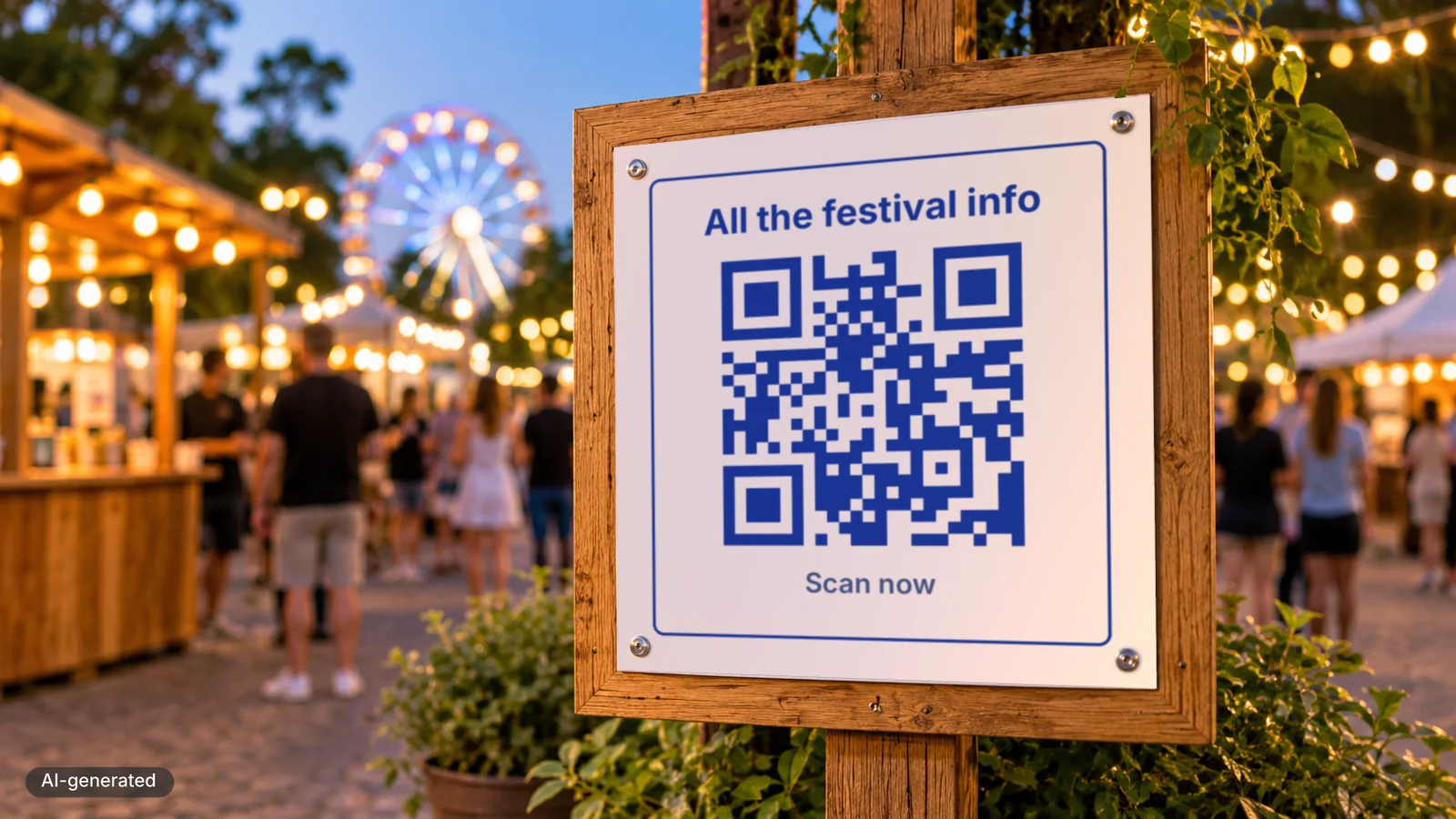
One code that switches on the day after the event
With a dynamic QR code, only a single code is on the poster. A Smart Rule of type Date decides at the scan which page the guest sees: the program until the event, the photos and the survey from the day after. You do not have to change anything on the day of the event.
| Period | Guest sees |
|---|---|
| Until 11 December (the event day is included) | Program and ticket link (example.com/event/before) |
| From 12 December | Photos and survey (example.com/event/after) |
In the example, the town festival is on 11 December. The addresses are examples. You enter the addresses of your own pages.
Five steps to the poster
Prepare both pages
Create one page for the time before the event (program, place, ticket link) and one for afterwards (photos, survey). Both must be reachable through a web address, for example on your own website. The photos often only exist days later. Create the page anyway, for example with the sentence “The photos are coming soon”, and add to it later.
Create a dynamic code
Create a dynamic QR code in QRlogic and open its Smart Rules.
First rule: the time before the event
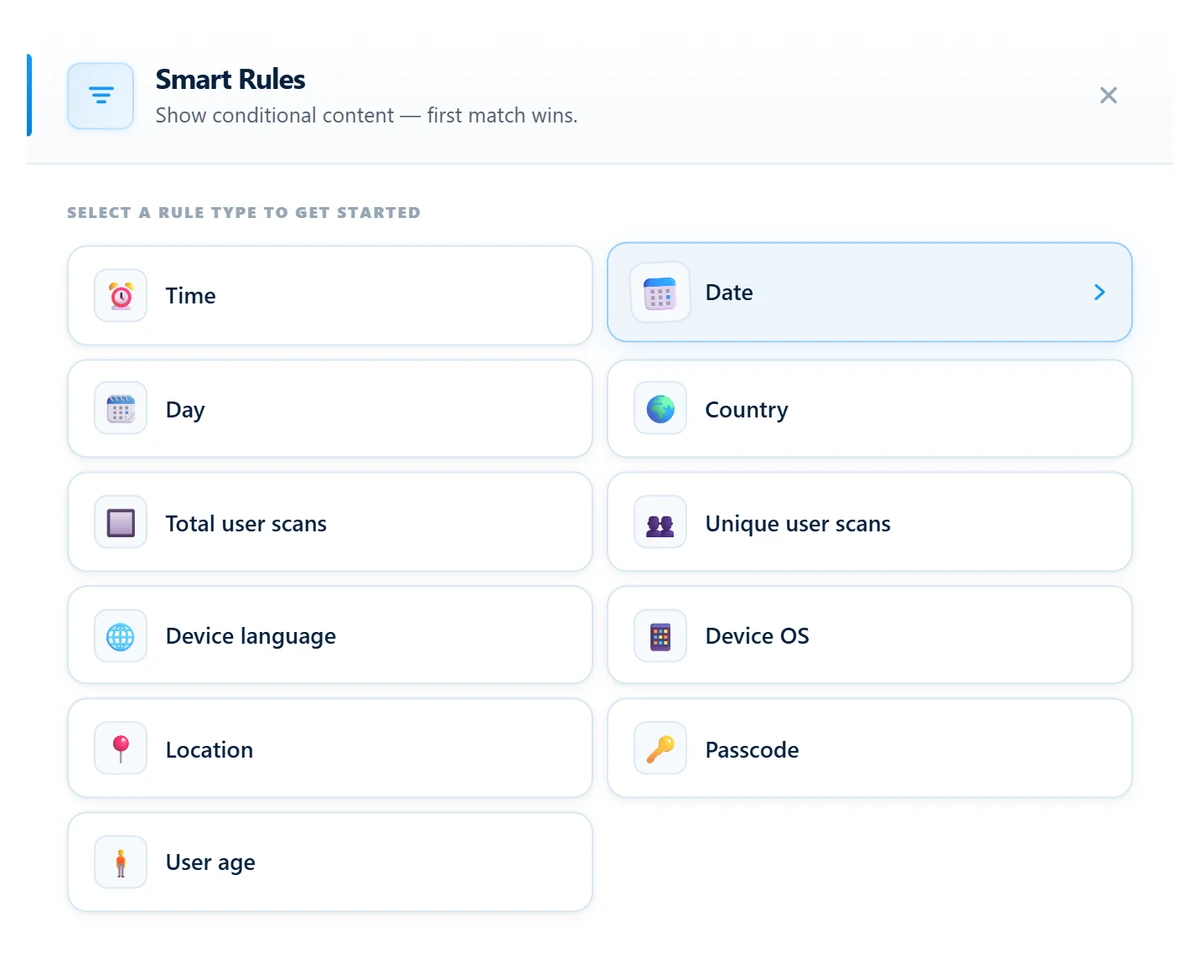
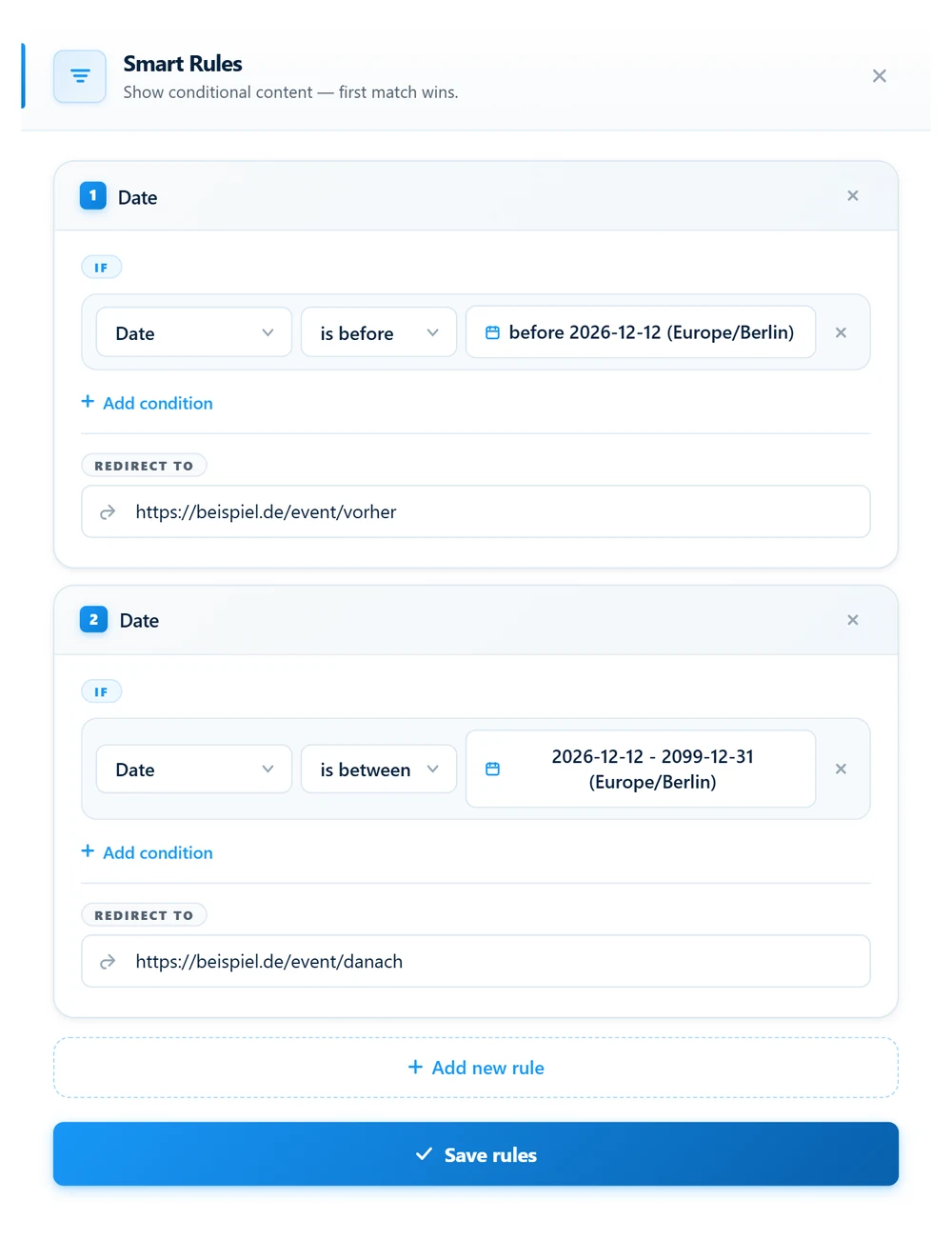
Choose the rule type Date, then is before and the day after the event, here 12 December. is before excludes the given day. So the rule applies up to and including 11 December. Under Redirect to, enter the address of the “before” page.
Second rule: the time after
Add another rule: Date, is between, with the day after the event (12 December) under Start date and a date far in the future under End date, for example 31 December 2099. The target is the address of the “after” page.
Check the time zone, save, test
Check the time zone in the Date window and save with Save rules. Test the code as described further down. Only then do you print the posters.
What it looks like in QRlogic
The images show the steps from the guide. The dates and addresses in them are examples. Click an image to open it in full size.
What to check about the date
If the event lasts several days, set the limit to the day after the last event day. If the event day itself should already show the “after” page, use the event day as the limit.
What to check on the poster and the ticket
- Neutral wording: The print does not change, the target does. So write for example “All the festival info” instead of “Program”, otherwise the text no longer fits after the event.
- The same code everywhere: Use the same code for the poster, flyer, ticket and program booklet. Then they all switch at the same time, and you see all scans in one place.
- Create the “after” page from the start: On the switch day, the address must show something, even if the photos are still missing. A sentence like “The photos are coming soon” is enough, and you add to the page later.
- Size and contrast: As a rule of thumb at least 2 × 2 cm, and clearly larger on the poster. A dark code on a light background scans most reliably.
- Test before printing: Create a test code with the same two rules. Set the limit to tomorrow and scan: you see the “before” page. Set it to today and scan again: you see the “after” page. Then enter the real date.
What else you can do with rules
- More than two phases: For example presale, event and afterwards. You create three rules, each without a gap: “is before 5 December” for the presale, “is between 5 December and 11 December” for the program and “is between 12 December and 31 December 2099” for the photos.
- Moving the date: If the event is postponed, you change the date in the rule and save with Save rules. The printed code stays the same.
- Several conditions: Conditions can be combined in one rule, and then all of them must match. For example, you can combine Date with the phone language, as in the holiday rental with house info by language. Because the first matching rule applies, the special cases go to the top.
- Scan statistics: You see how often the code was scanned, when and on which device. That shows you whether the posters work before the event. The statistics use shortened IP addresses, and the servers are in Germany. More in the guide to the GDPR-compliant QR code generator.
Frequently asked questions
Does the guest have to install an app?
No. The camera of modern phones recognizes QR codes by itself.
What do guests see on the event day itself?
That depends on your limit. With “is before 12 December” and “is between 12 December and 31 December 2099”, 11 December still belongs to the “before” page, and from 0:00 on 12 December (in the time zone of the rule) the “after” page appears.
How long can the “after” rule run?
With “is between” you enter the end date yourself. You can use a date far in the future, for example 31 December 2099. Whether the code still redirects then depends on your subscription: without an active subscription or trial, it no longer redirects.
What do guests see when no rule matches?
There is no default target. Without a matching rule, guests only see a notice page. So make sure the periods follow each other without a gap.
If the event is postponed, do I have to reprint?
No. You change the date in the rule and save. The printed code stays the same.
Does this also work for weddings and club festivals?
Yes. The principle is always the same: until the event the info about the schedule and directions, from the day after the photos.
What does it cost?
Dynamic codes come with the subscription plans, and Smart Rules are included in every plan. You can try the Bronze plan free for 14 days, then it costs €14.90 per month incl. VAT. A payment method is required, the subscription renews automatically and you can cancel anytime. Bronze includes 5 dynamic codes, and scans are unlimited in every plan. You can create static codes for free and without signing up, but they cannot be changed after printing. Current prices are on the pricing page.
Does the code keep working if I cancel my subscription?
No. Without an active subscription or trial, a dynamic code no longer redirects. The guest then only sees a message that the content is not available.
Try it with your own QR code
Create a dynamic QR code and change its target whenever you need to. Or create a static code for free, without signing up.
Bronze plan: free for 14 days, then €14.90/month incl. VAT. Payment method required. Renews automatically, cancel anytime.