


QR code on a real estate sign: change the property without a new sign
The sign is up, but the property is sold or the next one is coming. With a dynamic QR code, the print stays the same, and you point the target behind it to the current property.
Bronze plan: free for 14 days, then €14.90/month incl. VAT. Payment method required. Renews automatically, cancel anytime.
On this page
Why the link on the sign does not fit for long
A for-sale sign, a banner on the fence or a stand in the window often carries a QR code to the listing. But the link belongs to exactly one property. Once it is sold or let, the code still leads to the old listing. If the ad is taken down, it leads nowhere.
With a static QR code, the address is stored directly in the pattern. For the next property you then need a new sign or a sticker with a new code. With a dynamic QR code, the pattern stays the same, and you swap the target in your account.
An example: one sign, three stations
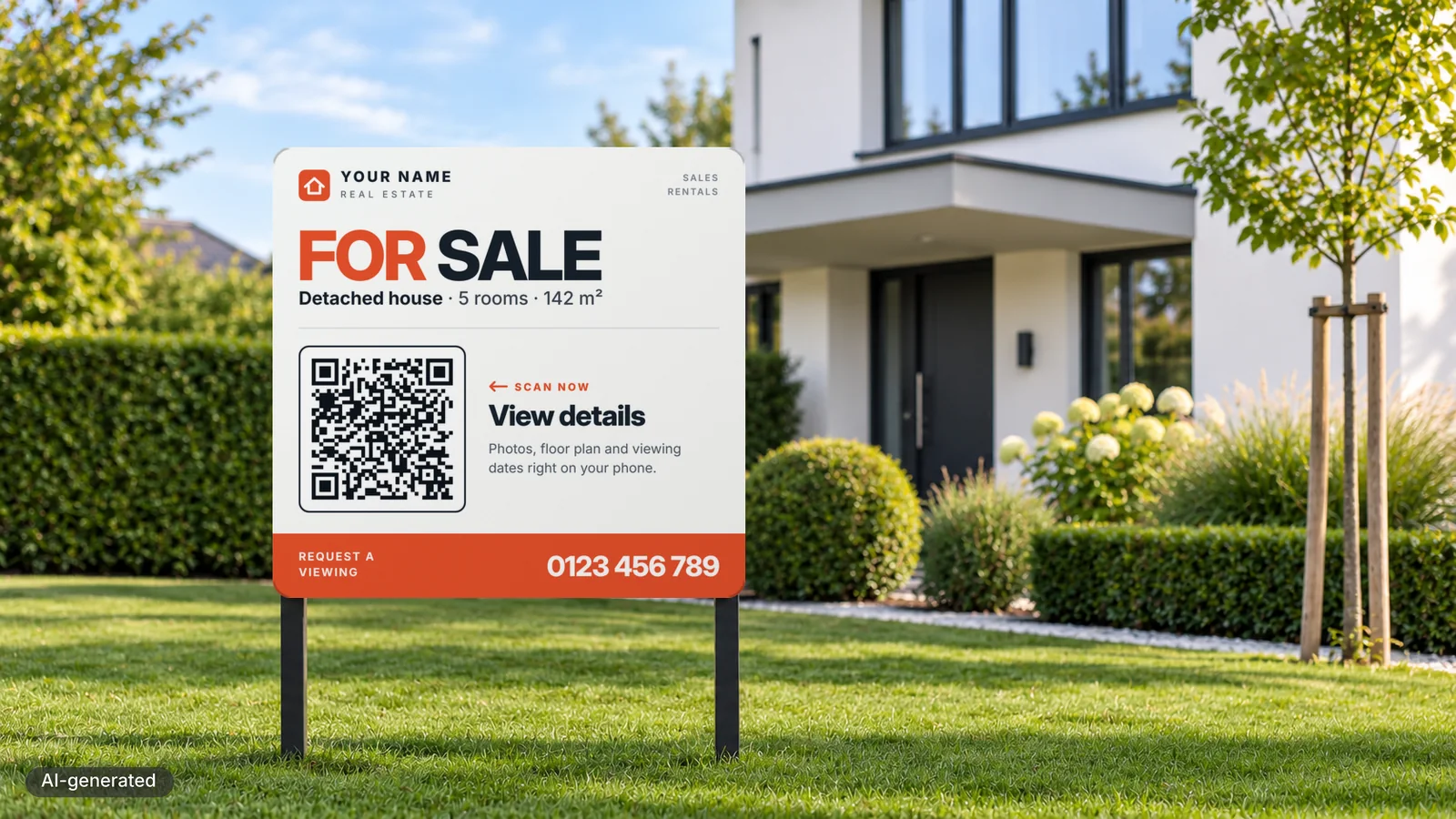
Example with invented data: an agent has a sign with their logo, their phone number and a QR code. The sign is placed at different properties one after the other. It is printed only once.
| When | Where the sign stands | Where the code leads |
|---|---|---|
| January to March | Apartment on Sample Street | Listing of the apartment |
| After the sale | Sign is still up | “Sold” page with more offers |
| From April | House on Example Road | Listing of the house |
Each row is just a new target in the account. Nothing changes on the sign itself.
Static or dynamic: what works on a sign
| Static QR code | Dynamic QR code | |
|---|---|---|
| Reuse the sign for the next property | ✗ No, the code leads to the old listing | ✓ Yes, swap the target in your account |
| Property sold or let | ✗ Only with a new sign or sticker | ✓ Point the target to a “Sold” page |
| View scan statistics | ✗ No | ✓ Yes, in your account |
| Cost | ✓ Free, even without signing up | Part of the subscription plans, 14-day trial |
You can create a static code for free and without signing up in the free QR code generator. It fits when the address will definitely stay the same forever, for example the page of your office.
Five steps to a sign with a changing property
Have the listing address ready
The target is a web address: the ad, a page on your website or a PDF that you put online. It should be easy to read on a phone.
Create a dynamic code
Create a dynamic QR code in QRlogic and enter the listing address as the target.
Design the sign
Put the code in a clearly visible place on the sign, with a short line next to it, for example “View details”. Quiet zone and contrast matter as with any print. You can find more on the page QR code on flyers and posters.
Hang a test and scan it
Print the code at original size and scan it from the distance where interested people will stand later. Use several phones and try it where the sign will hang, also with weaker mobile reception.
Swap the target for the next property
Once the property is sold or let, you enter the listing address of the next property as the target in your account. The sign stays as it is.
What to check on the sign
- Size: If someone stands 1 to 2 meters away, the code is about 10 to 20 cm in size by the rule of thumb (about one tenth of the scanning distance). From a greater distance it has to be larger accordingly.
- Material: Use a weatherproof, matte material. A banner should hang tight, because folds and waves can get in the way of scanning.
- Light: Behind a window pane, light can reflect. Test the code in sun and in shade.
- Call to action: Add what happens when people scan, for example “View details” or “Request a viewing”.
- Contact: Also put a phone number or an email address on the sign. Whoever does not want to or cannot scan can still reach you.
What else you can do with the code
- Viewing day: With the Smart Rule “Date”, the code leads to the page with the appointments until the viewing day and to the listing afterwards. How to set up the two rules is explained in the guide to the date rule for events.
- Listing in two languages: With the Smart Rule “Device language”, every phone sees the listing in its language. Rule 1 is “Device language is German” with the German listing, rule 2 “Device language is not German” with the English one. The rules are checked from top to bottom, and the first matching one applies. What counts is the language set on the phone, not where the person comes from. An example with steps is in Holiday rental: WiFi and house info in the guest’s language.
- Scan statistics: You see how often a code was scanned and when. The statistics use shortened IP addresses, and the servers are in Germany. More in the guide to the GDPR-compliant QR code generator. The statistics belong to the code: if you want to compare signs or properties, give each sign its own code.
Frequently asked questions
Can I use the same sign for the next property?
Yes, if the code is dynamic. You swap the target in your account for the next listing, and the printed pattern stays. With a static code, the sign always leads to the old address. Then only a new sign or a sticker with a new code helps.
What does someone see who scans the code after the sale?
Whatever you set as the target. That can be a short page, for example “This property is sold” with your other offers and your phone number. If you change nothing, the code keeps leading to the old listing.
Can I see how often a sign was scanned?
Yes, with dynamic codes you see the scans in your account. The statistics use shortened IP addresses. If you want to compare several signs, use a separate code for each.
How many signs can I manage with this?
Every sign with its own code needs a dynamic code. Bronze includes 5, Silver 50 and Gold 150 dynamic codes. Scans are unlimited in every plan. Current prices are on the pricing page.
What does it cost, and what happens after cancelling?
Dynamic codes are part of the subscription plans. You can try the Bronze plan free for 14 days, then it costs €14.90 per month incl. VAT. A payment method is required, the subscription renews automatically and you can cancel anytime. Without an active subscription or trial, a dynamic code no longer redirects. If you only need a simple link that you never want to change, a static code is enough.
Try it with your own QR code
Create a dynamic QR code and change its target whenever you need to. Or create a static code for free, without signing up.
Bronze plan: free for 14 days, then €14.90/month incl. VAT. Payment method required. Renews automatically, cancel anytime.